Designing a calmer way to journal
Experiments
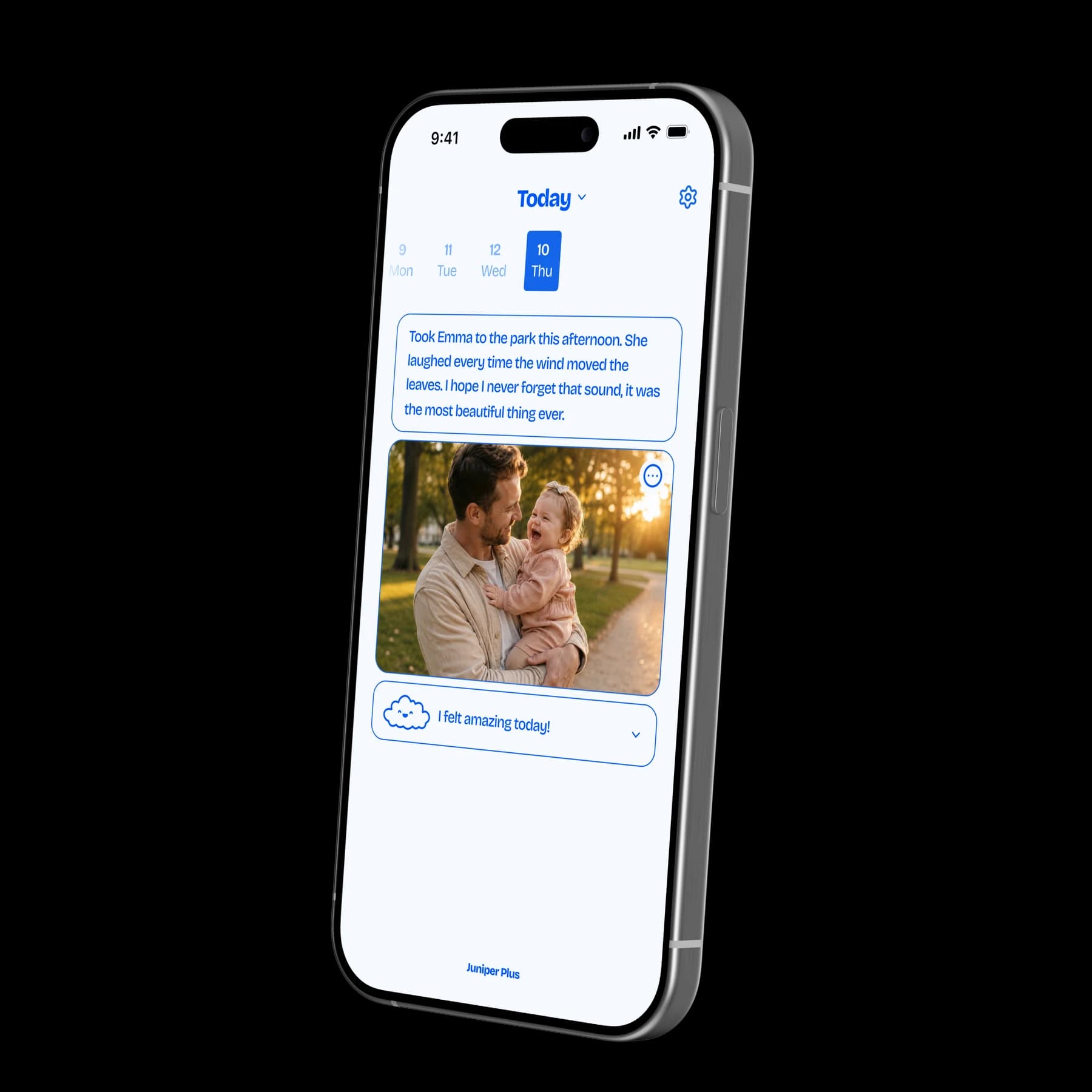
Juniper product mockup.
- Project:
- Juniper
- Role:
- Founder, Designer & Developer
- Year:
- 2026
- Status:
- Pending App Store approval
- Launch:
- Planned for December 2026
I became a father and wanted to keep one moment from every day, with one photo to remember it by. That became Juniper: a small journaling app for saving the moments that make up everyday life. I owned the whole project, from design and development to growth, and learned Swift to build it.
The problem
Parenthood gave me a reason to pay attention to the small things: an ordinary afternoon, a new expression, a moment I wanted to remember later. I wanted a simple way to keep one of those moments each day.
The daily flow needed to feel small enough to return to. A date, a moment, and a photo could give the day a place in the journal, with room for a note or mood when useful.
Research and decisions
The starting point was a personal need. I shaped the product around one moment and one photo per day, with a note and mood as optional context. That gave the experience a clear unit: something small to save today and easy to find again later.
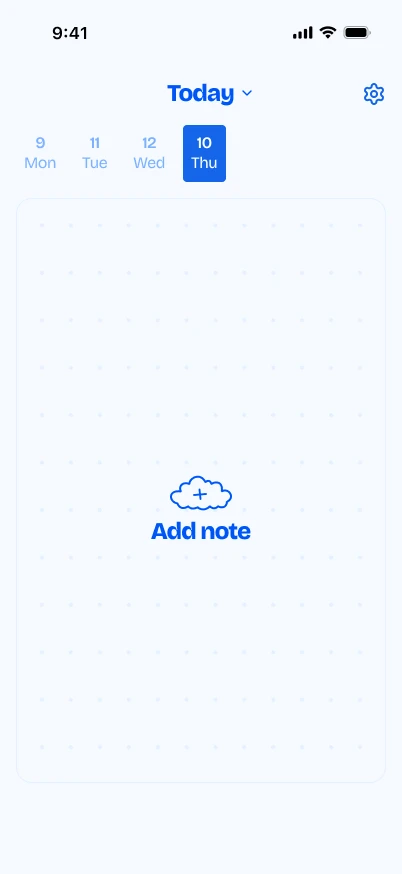
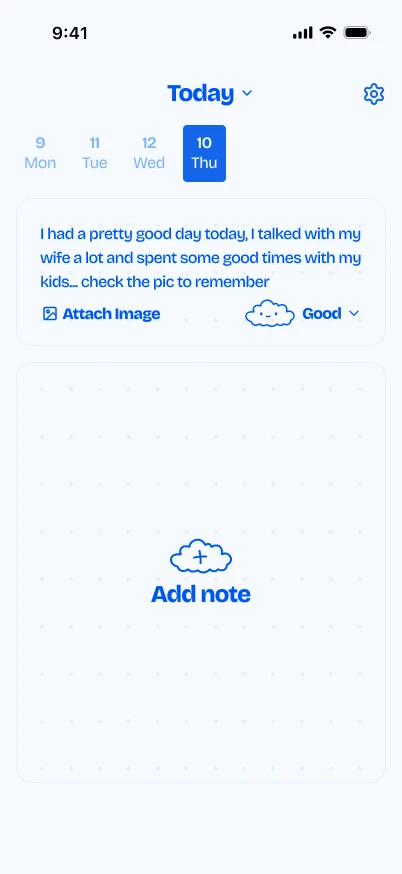
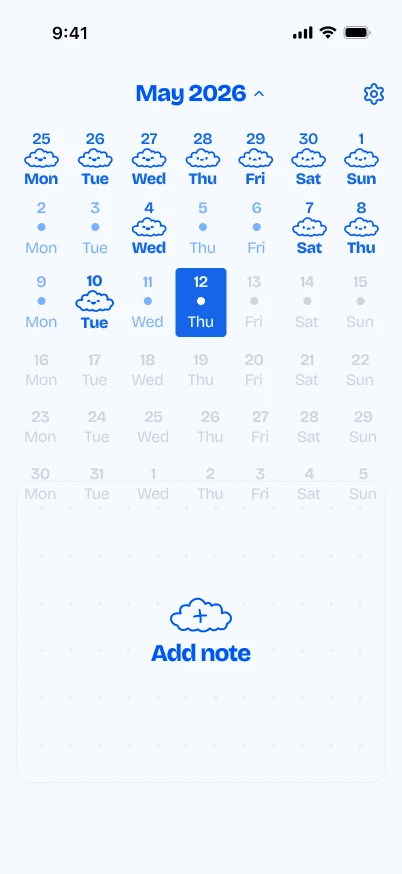
The interface stays close to that daily entry. The selected date, writing area, photo, and mood live together, while the calendar opens up a broader view of the days already saved. Adding depth meant making those moments easier to revisit.
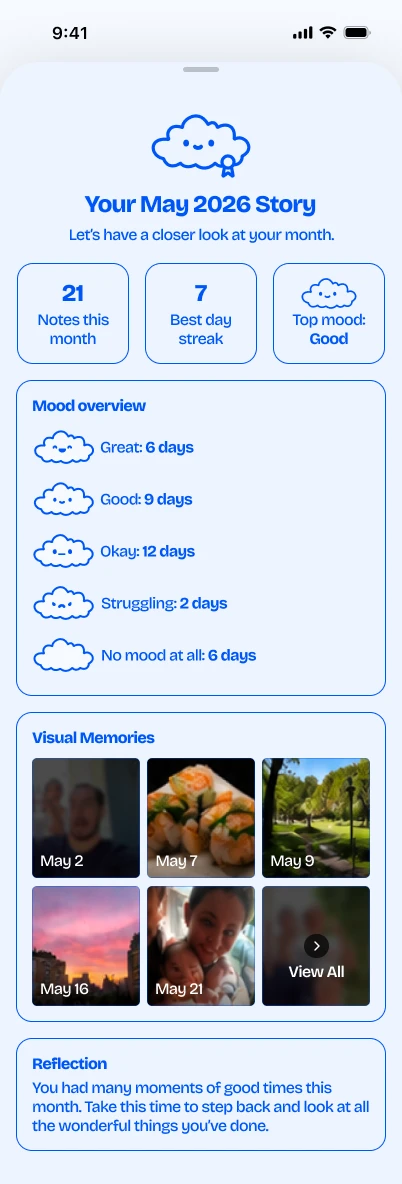
The monthly report extends that idea. It gathers notes, moods, and visual memories into one view, with a short reflection selected from a written copy library based on the month's saved activity. The language stays tied to what was recorded.
The solution
Juniper opens into the selected day. A person can write a note, add a photo, or record a mood in the same place. The date selector makes it possible to move between days, and the calendar gives a view across the month.
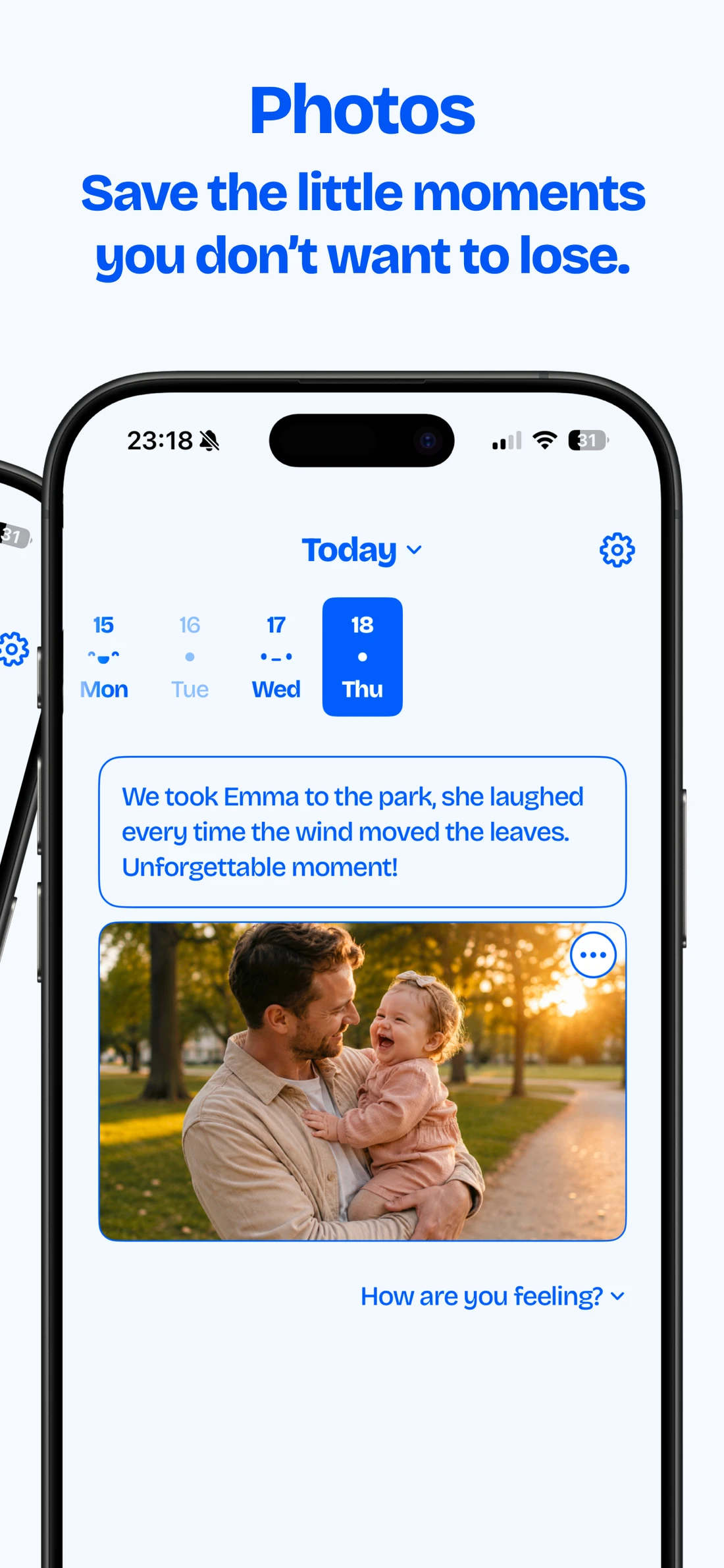
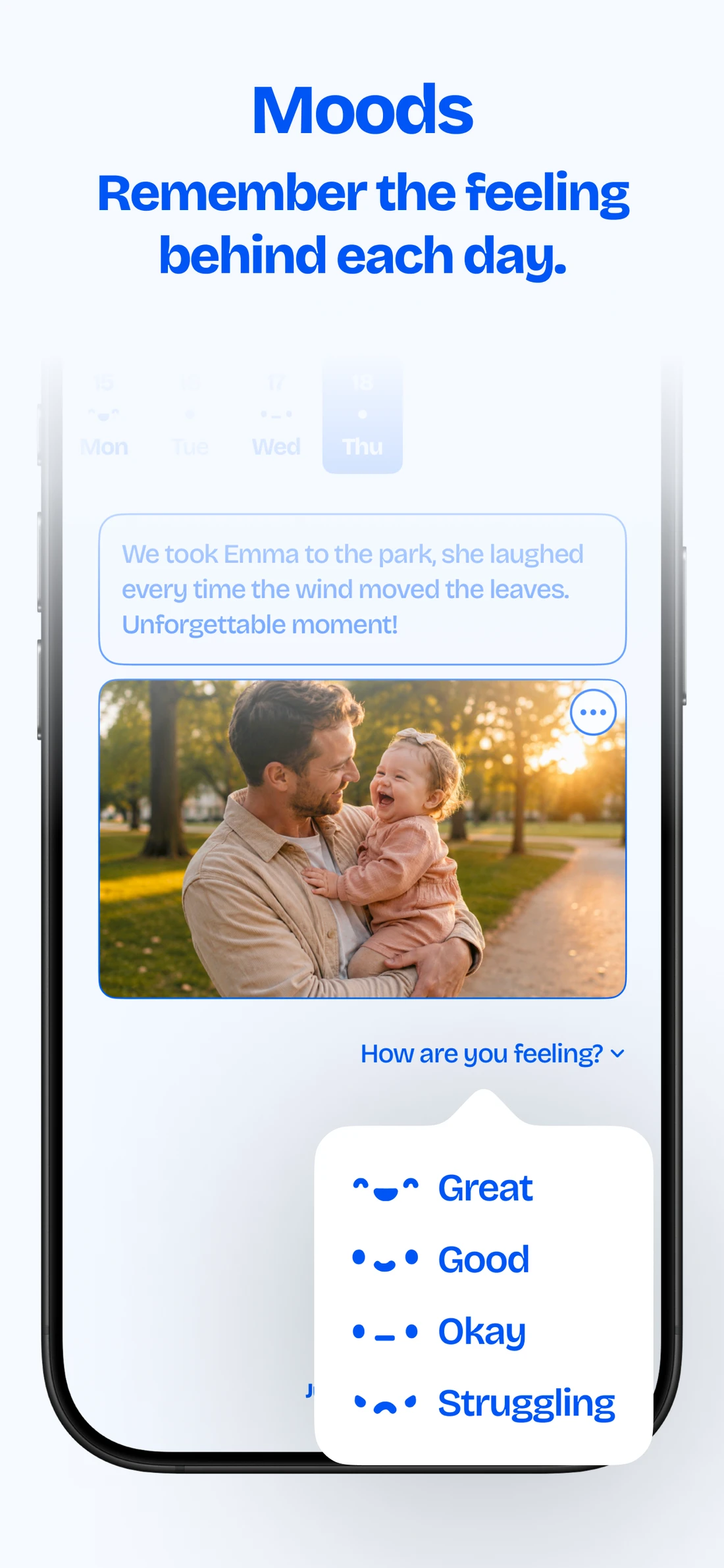
Cloud illustrations, a blue palette, and short prompts give the app a friendly character. The main actions remain close to the entry, keeping the daily interaction focused on the moment being saved.
The monthly report offers a second way to look back. It brings together saved days, mood counts, photos, and a reflection so individual entries can be revisited as part of a larger period of time.
I built the app in SwiftUI, with SwiftData for journal entries. The work also included photo handling, reminders, Face ID, data export and deletion, and the free and Plus subscription states. Learning Swift meant taking the design through to the behavior of the native app myself.
Outcomes and learnings
Juniper is pending App Store approval, with launch planned for December 2026. There is no user feedback yet, so this case study reflects the product and implementation work rather than measured adoption or retention.
The project took a personal reason to build something and turned it into an app I designed and developed myself. Learning Swift was a central part of that process: the work extended from deciding what the experience should be to implementing how it behaves.
The next stage is to learn whether the small daily format is useful to other people, and what they choose to save and revisit over time.