Turning business impact into software
Design + development
- Link:
- www.bivalues.ai
- Client:
- MEO Continuity
- Industry:
- Risk Management
- Year:
- 2026
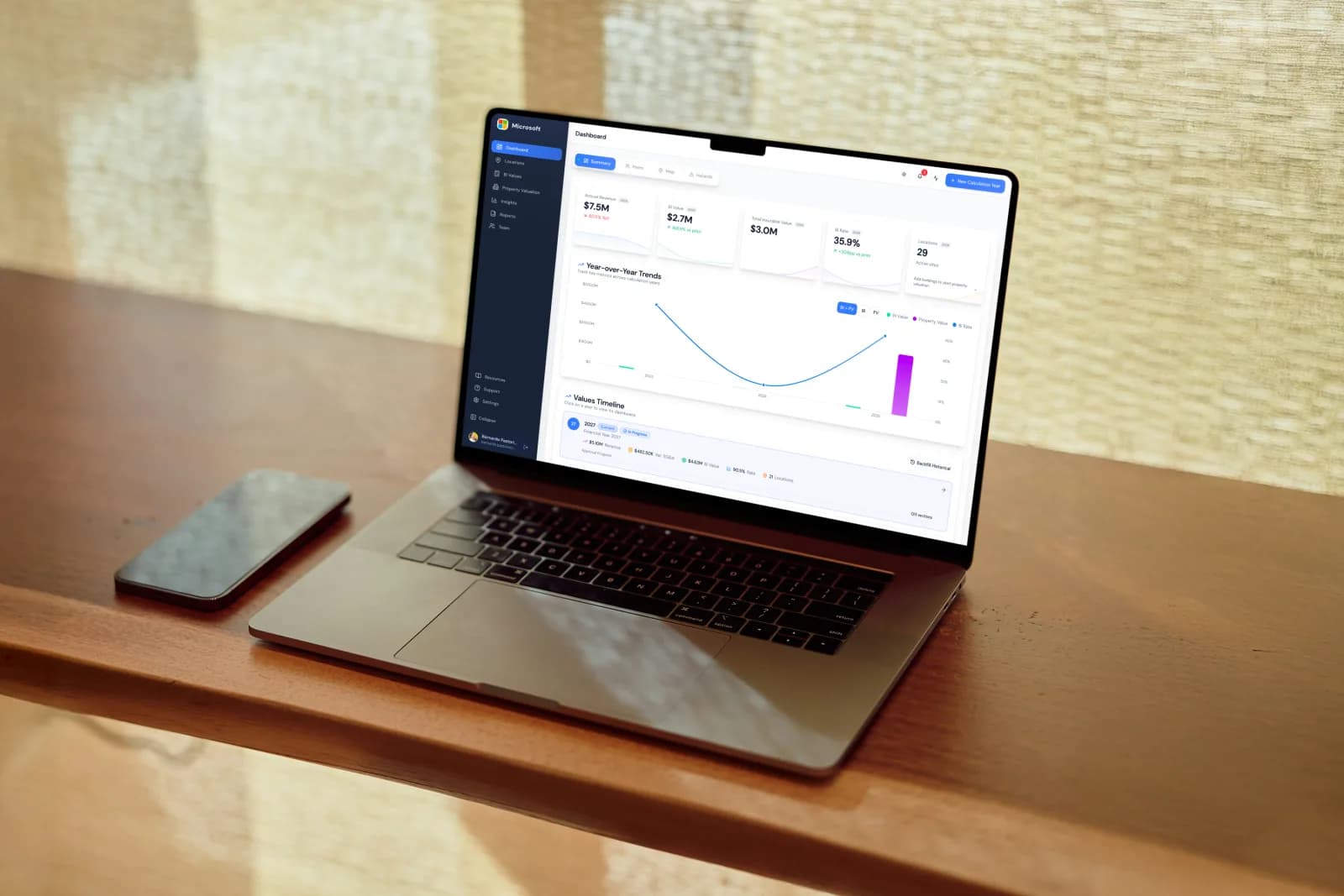
BI Values is the platform insurance brokers use to model business interruption exposure across their clients' portfolios. I led design across the product and shipped a good portion of the front end myself.
Captured from the running product with fictional demo data. Select any image to view it at full size.
The platform layer
Brokers don't have one kind of customer. The product runs on a three-tier model — organizations, the clients they manage on behalf of, and clients who come in direct — each with its own admin hierarchy and permissions. Most of the platform's complexity is downstream of that model, so a lot of the early design work was making the hierarchy legible in the interface rather than something users have to hold in their heads.
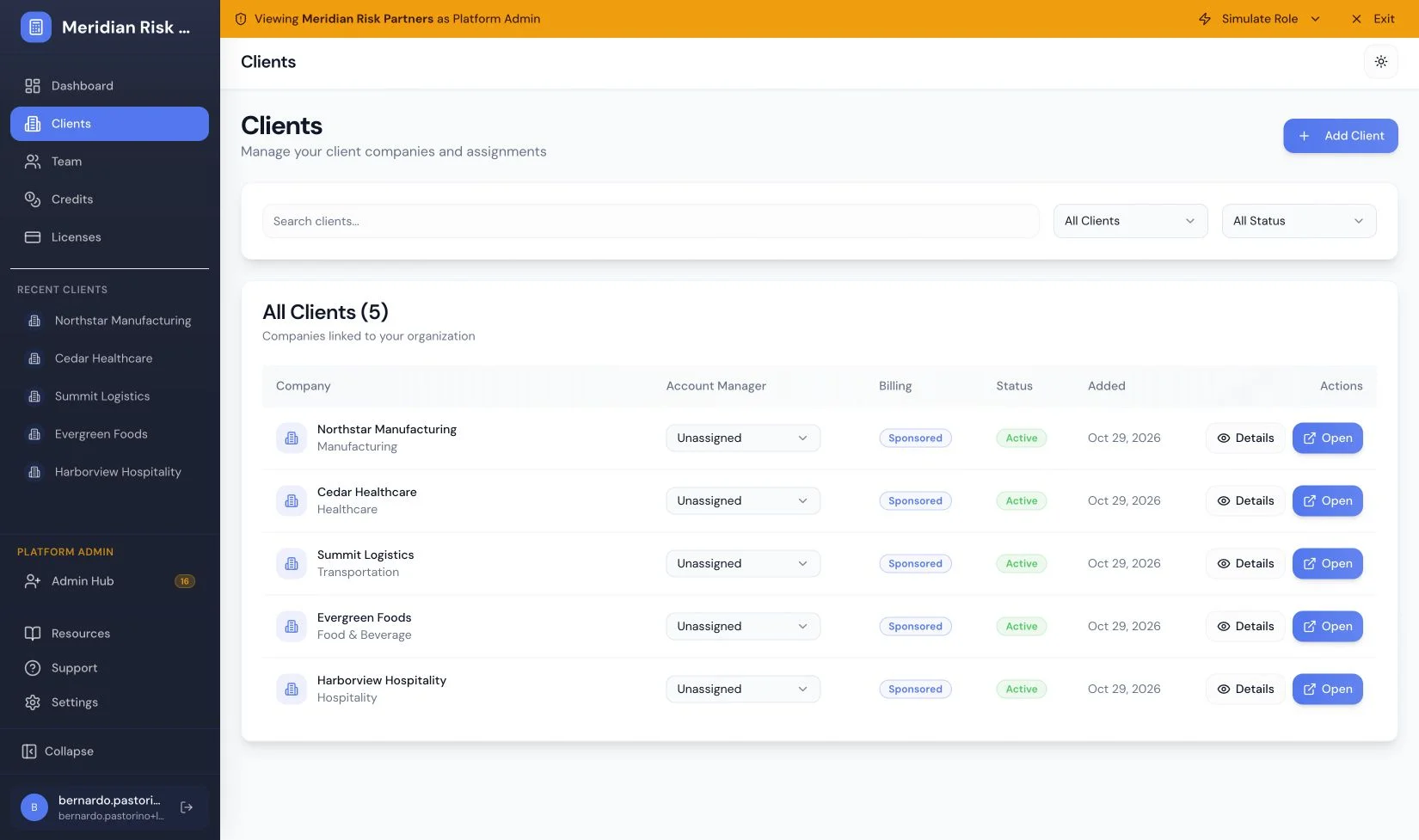
Organization context stays visible while brokers manage clients and assignments.
The calculation experience
A broker works one client, one year at a time. Each calculation year moves through the same lifecycle — draft, in progress, approved, locked — and the timeline is where they see all of it at once: what's current, what's still open, what's done.
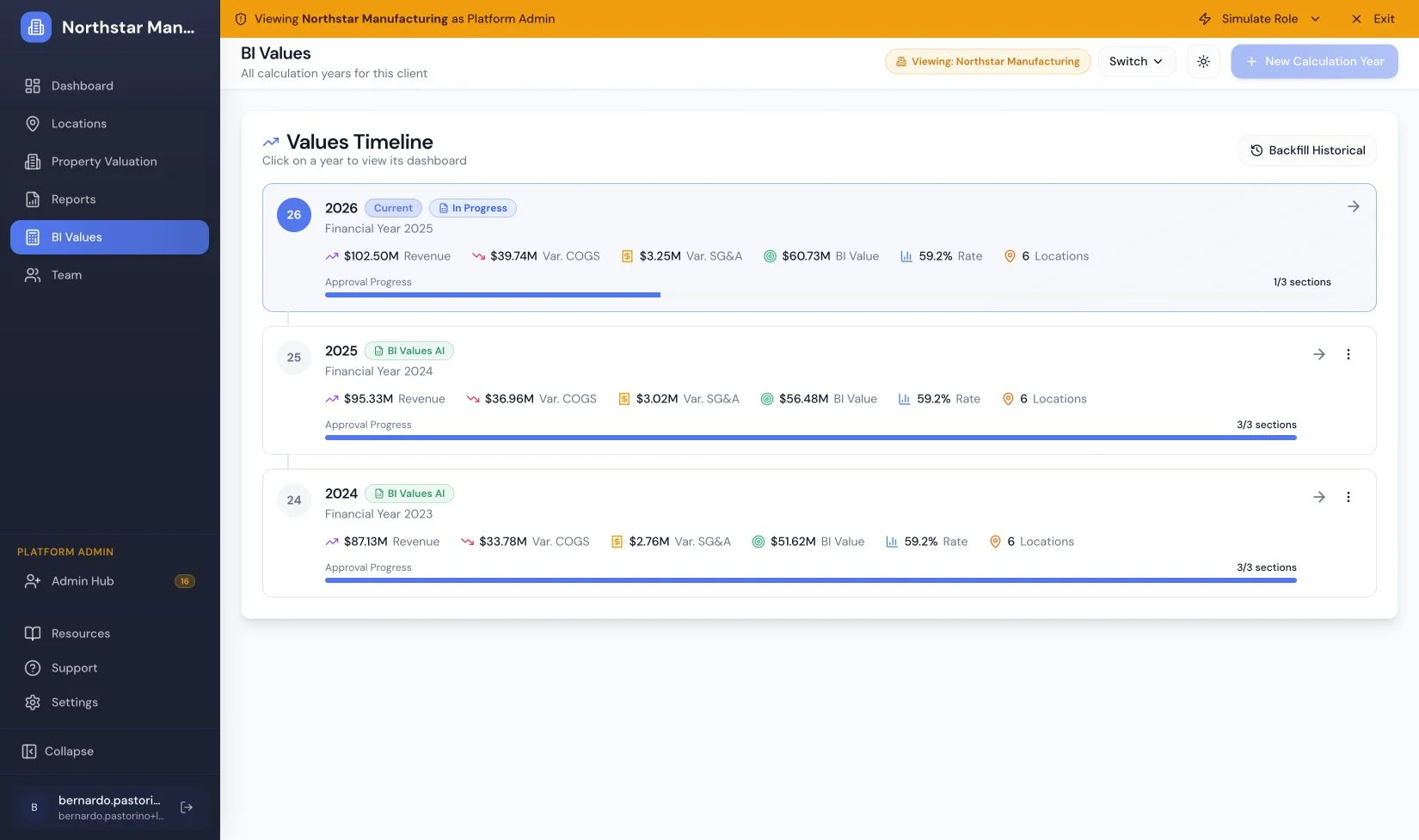
One timeline connects the current calculation with completed years.
Inside a year, the work splits into three parallel tracks — the BI value itself, how it's allocated across locations, and the statement of values across the whole portfolio. Each has its own checklist and its own approval, so a year isn't "done" until all three are.
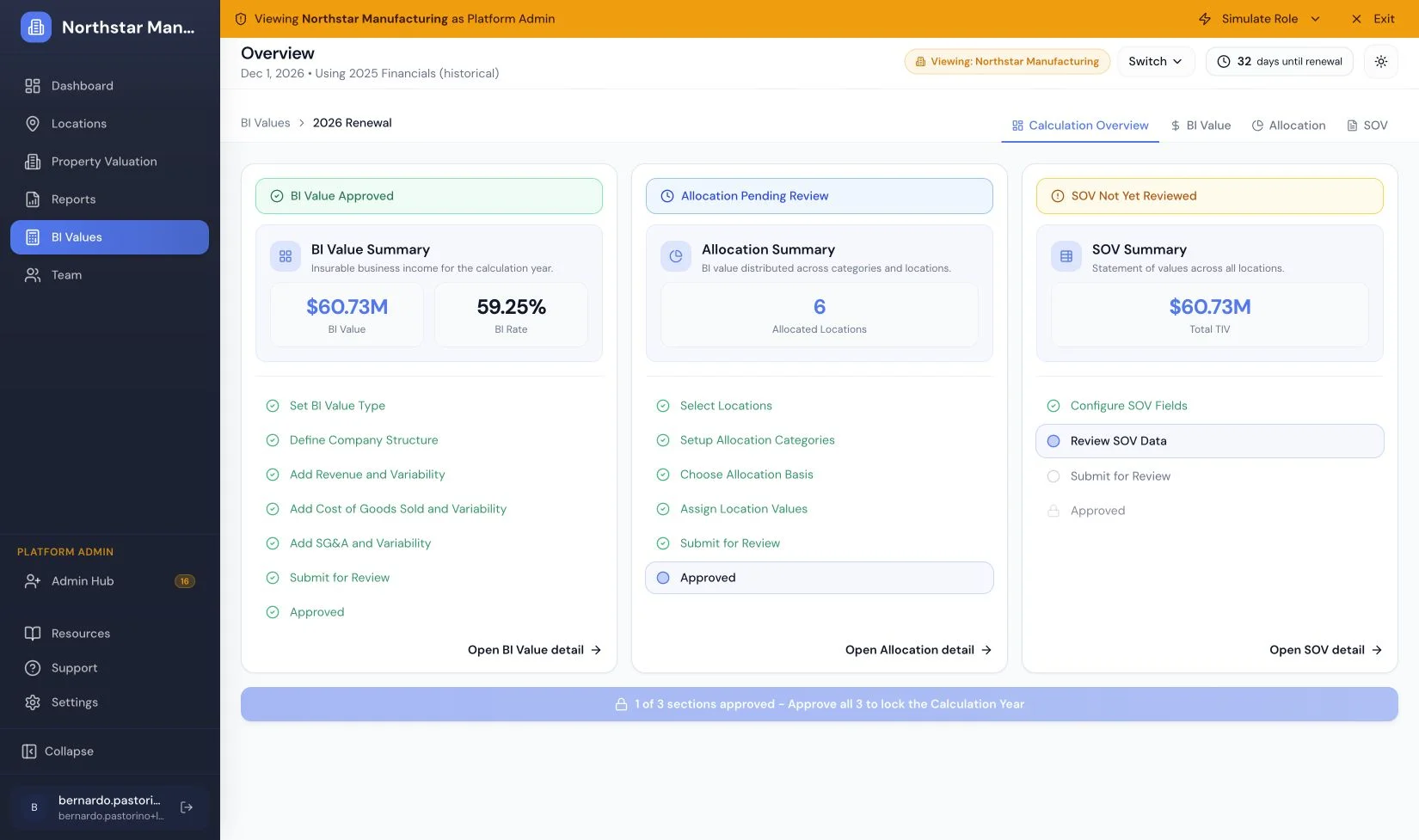
Each track has its own checklist and approval state.
The BI value itself is built from the financials — revenue, cost of goods sold, SG&A — entered as line items that expand into detail and carry their own variability. This is the dense, spreadsheet-adjacent surface where getting the interaction right matters most.
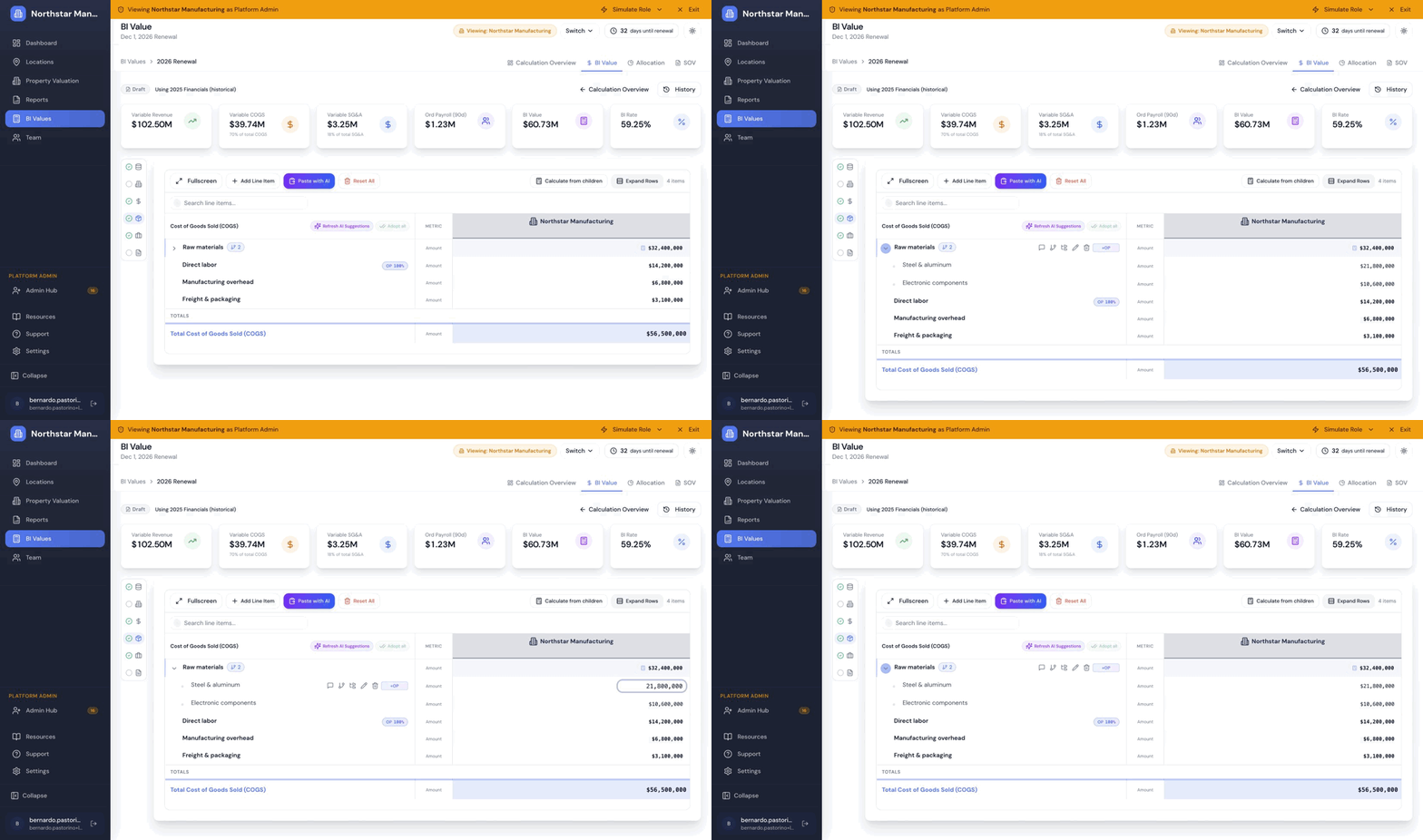
Expand subaccounts and edit amounts directly in the financial grid.
Zooming in: Property Values
Property Values lives inside BI Values. It's where buildings and locations get valued — the input that everything downstream depends on. It's enabled per organization and cascades to their clients, so not every account sees it, which made the entry points and empty states as much of a design problem as the feature itself.
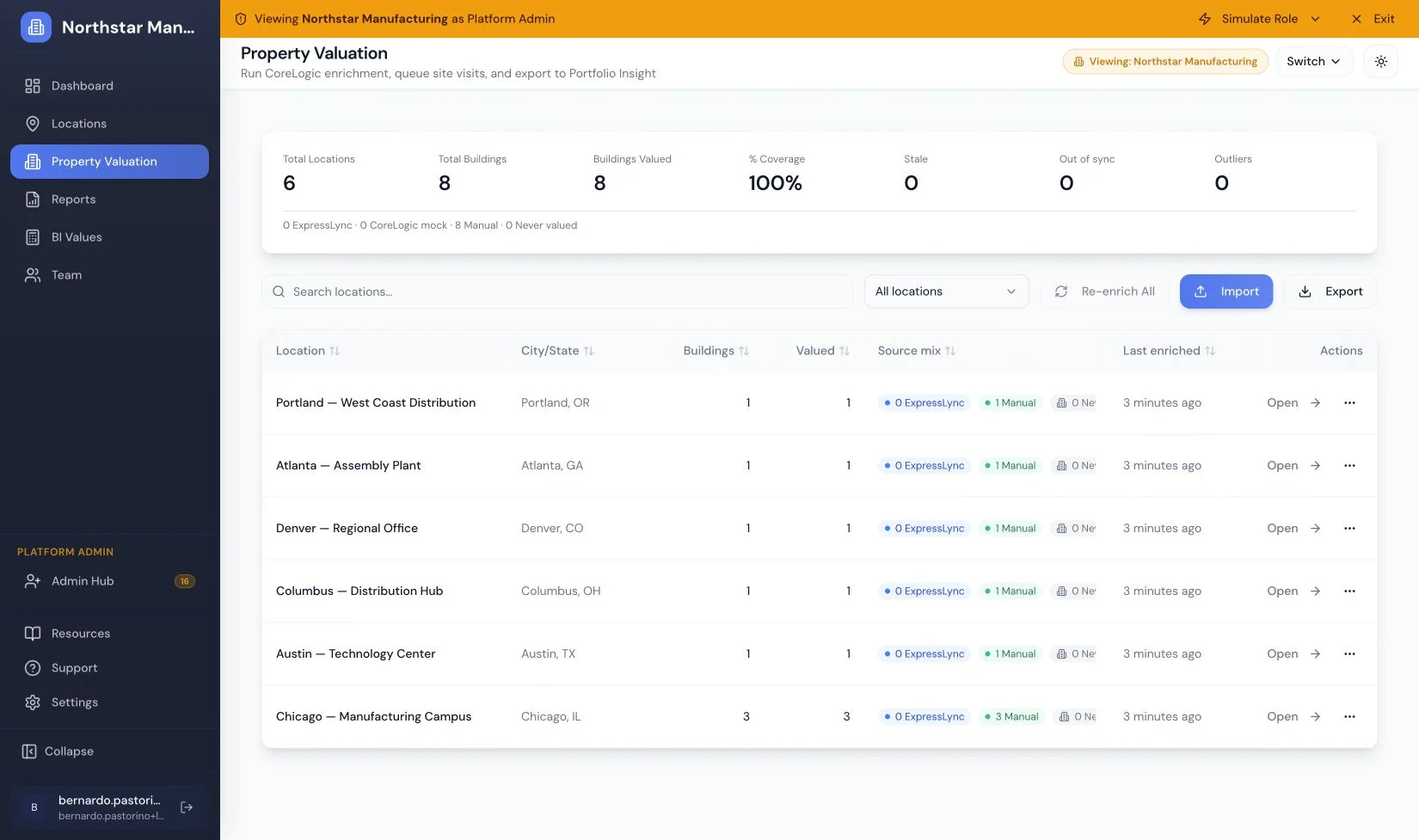
A portfolio queue brings locations, coverage, and valuation sources together.
The hardest problem in Property Values is the building intake form. The same data gets captured in two completely different situations: an inspector on an iPad in a parking lot with no signal, and an analyst at a desk working through a portfolio.
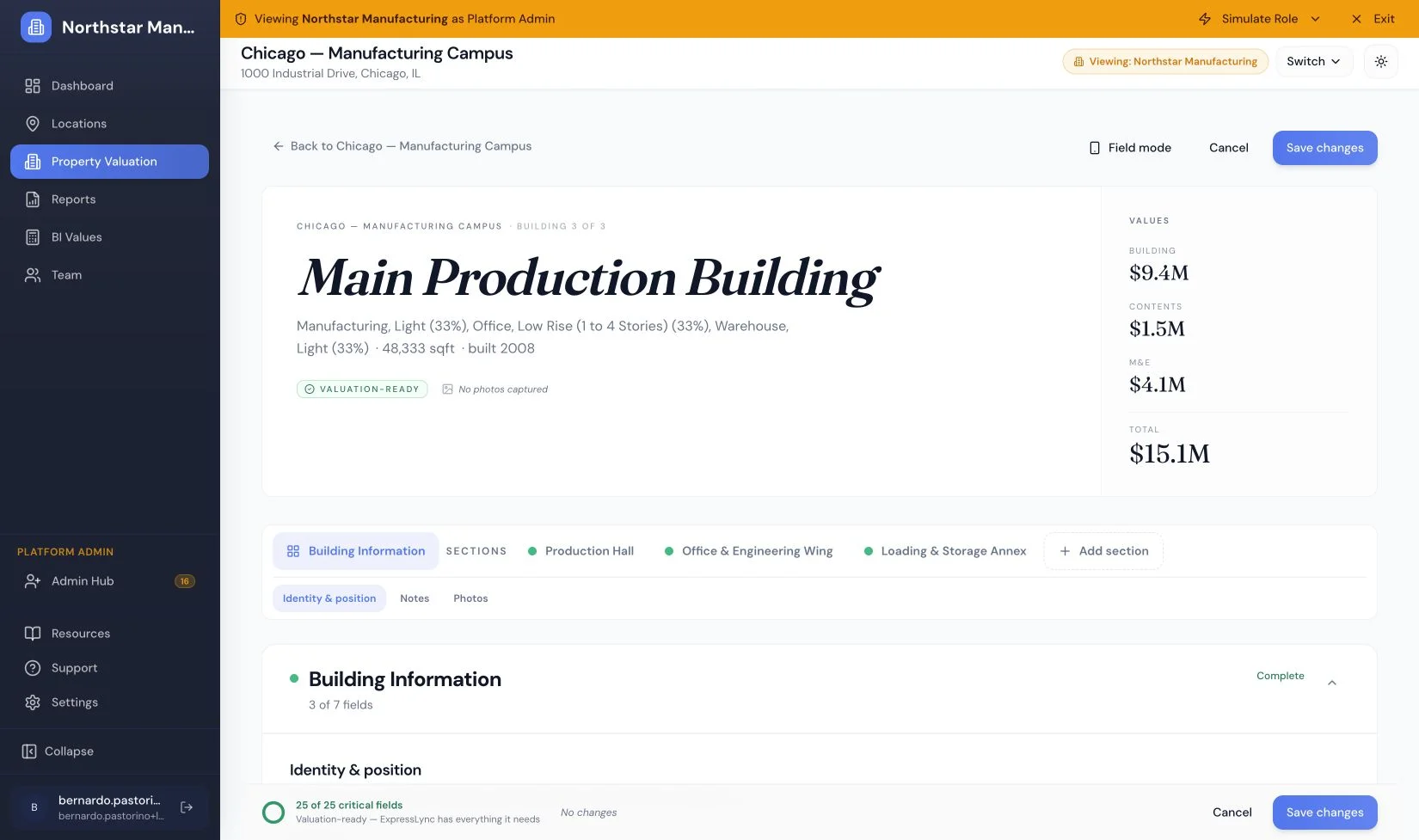
The desk shell puts the building's values and section structure in context.
Rather than build two products, I designed one adaptive form with a shared schema and two shells — a field shell and a desk shell — so the data contract stays identical while the interaction model changes. That meant treating offline capture and sync state as first-class UI, not an error condition.
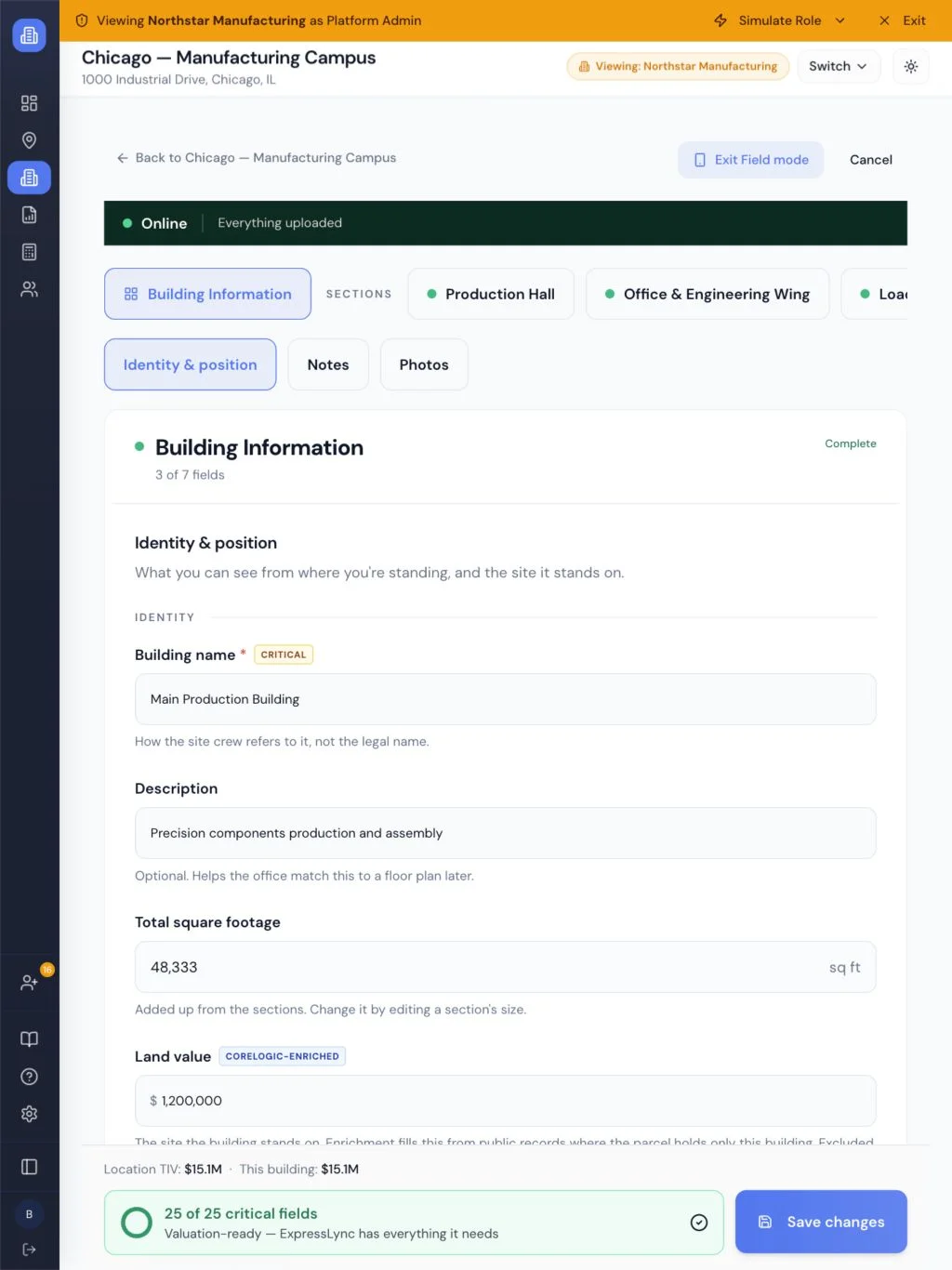
Field mode: building identity, connectivity, and save state.
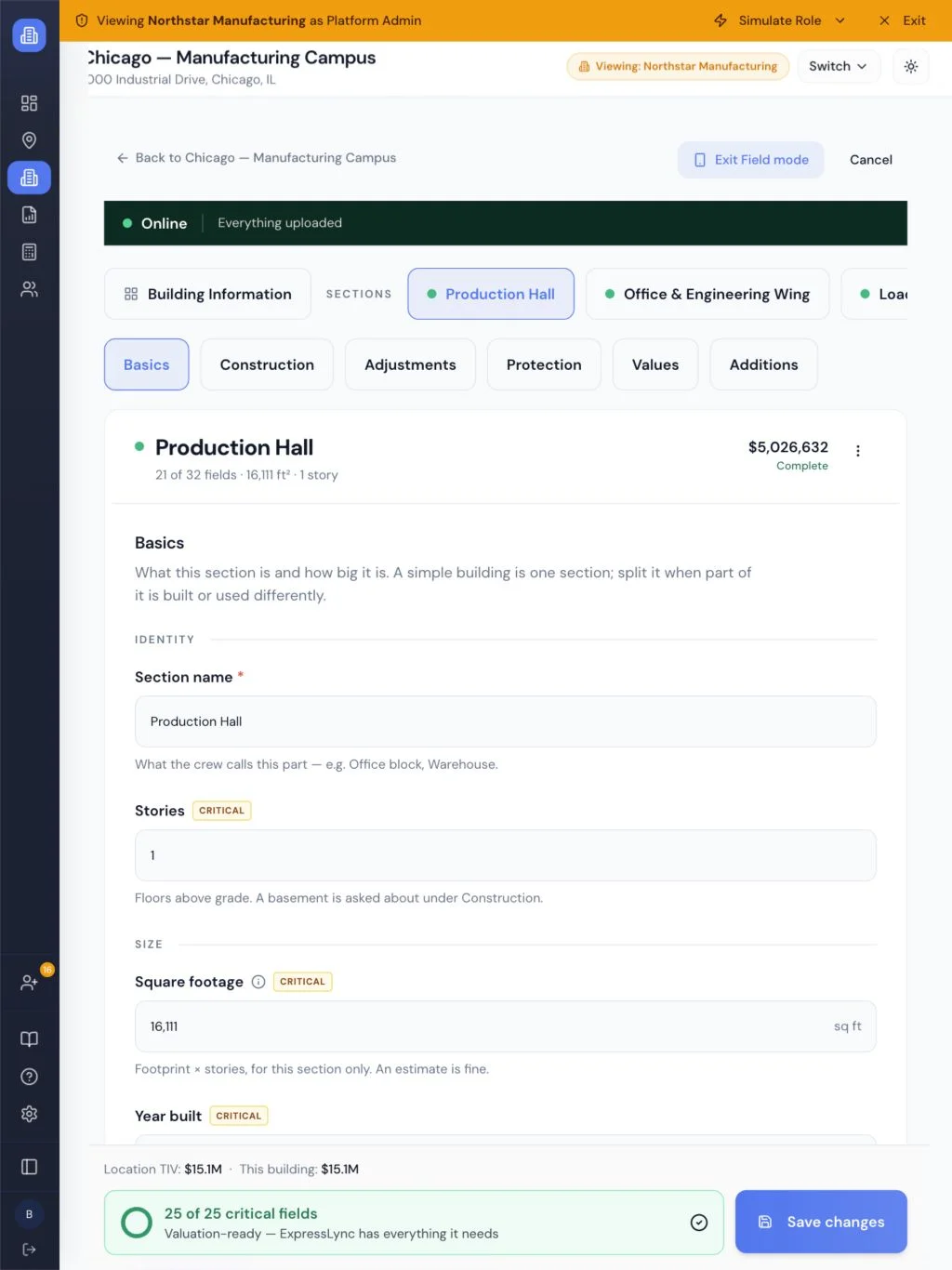
The same section schema, with controls sized for field capture.
On top of it I designed the systems that make real buildings fit. Building Sections handles buildings-within-a-building — collapsible cards in a continuous-scroll form with scroll-spy navigation, so a twelve-section property stays navigable without turning into a wizard.
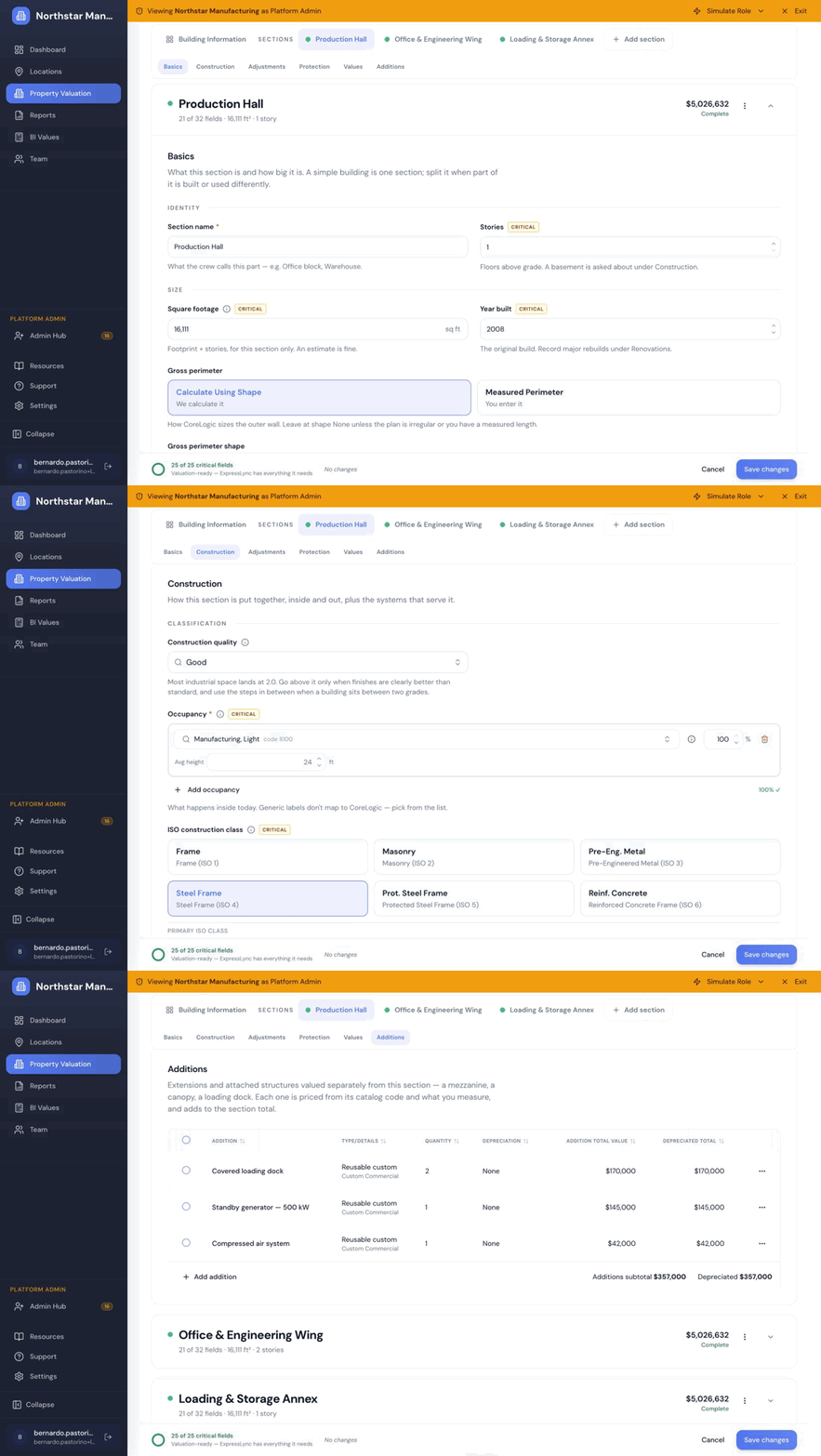
Section navigation keeps a long building form navigable without a wizard.
Additions handles extensions and attached structures that need to be valued separately from the section they hang off.
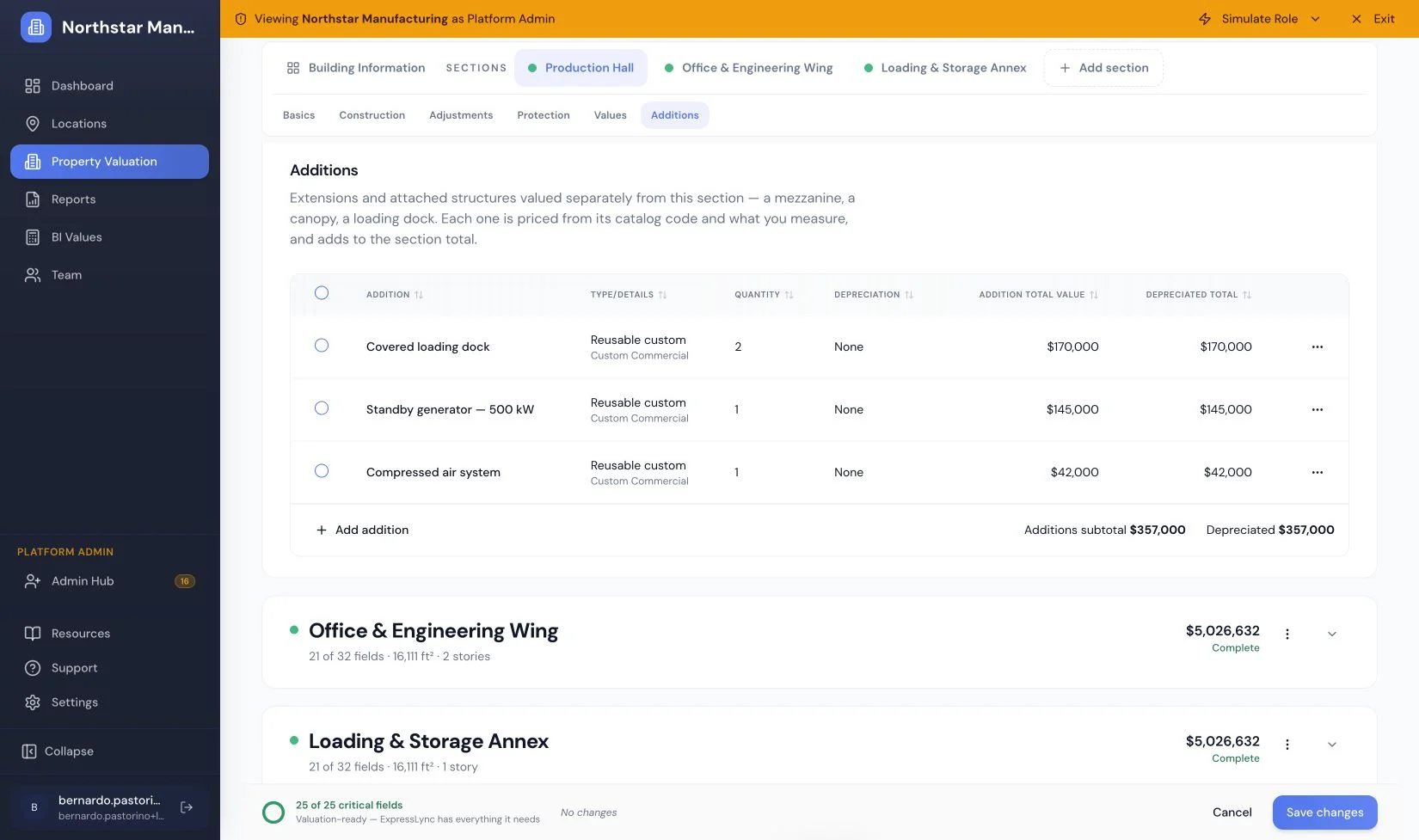
Additions carry their own quantities and values within the section.
Designing and shipping
I also built it. Working in Cursor with Claude Code, I took my own designs through to implementation — feature branches, PRs, review — which collapsed the usual handoff loop and let me resolve UI details in code instead of writing tickets about them. The same loop runs on feedback: client walkthroughs and UX audits become a triaged backlog, and I close what I can close myself.
Outcomes
- Building intake time cut from ~[X] minutes to [Y] per property
- [N] properties valued and [N] BI calculations run through the platform
- [X]% of field inspections completed offline, syncing on reconnect
- Handoff-to-ship time on UI fixes reduced by [X]%